About Kristan Franco

Kristan Jan Q. Franco is rooted from General Santos City, and is a 20-year old student of Notre Dame of Dadiangas University. With the course Information Technology, he is into web designing, graphic designs, ads, and photography. Having been introduced into digital tools such as Adobe Photoshop and CSS coding, he began designing variety of graphics in his high school days. When he stepped into college, his interests expanded. With a cheap digicam and a Single Lens Reflex camera, he was engaged into photography and sees it as a hobby. Read more about KFranco »

Visiting Gumasa, Glan

Posted by Kristan Monday, December 21, 2009 View Comments

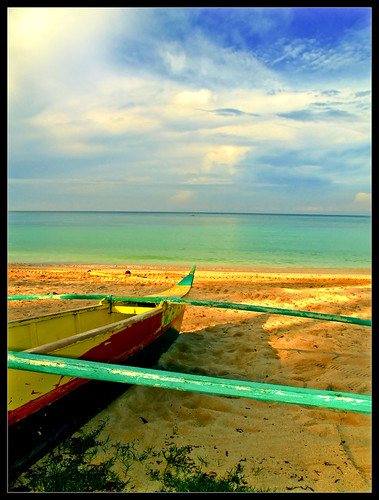
I spent a day and moment of my Christmas break just to relax from school stuffs. Since most of us decided to visit Gumasa, I joined in. Gumasa just fits the word wonderful.

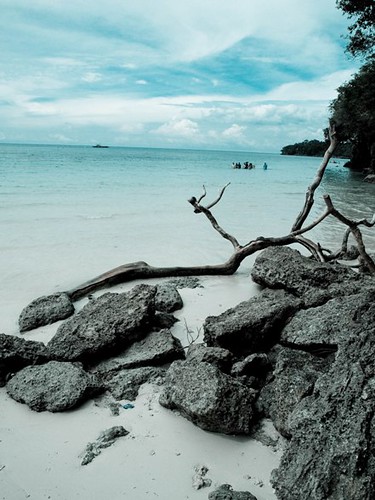
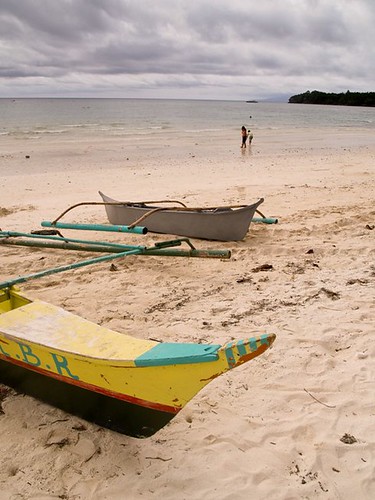
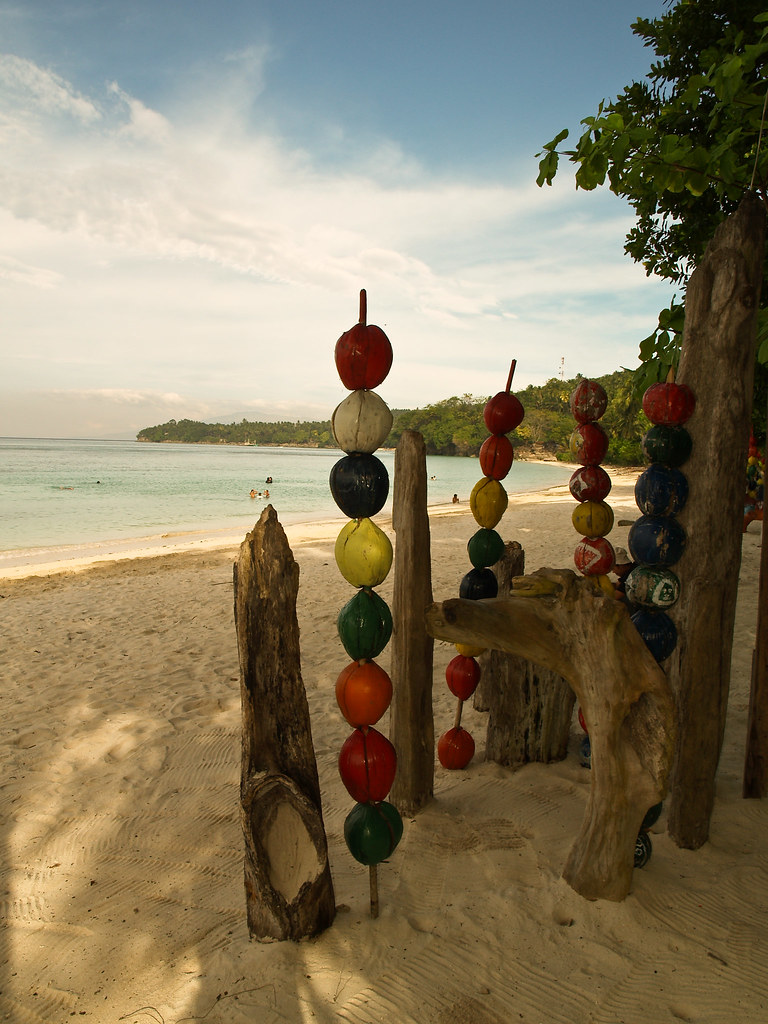
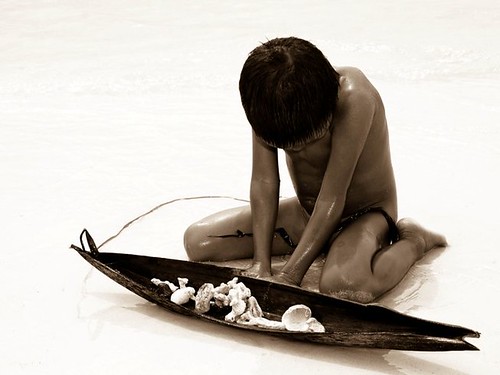
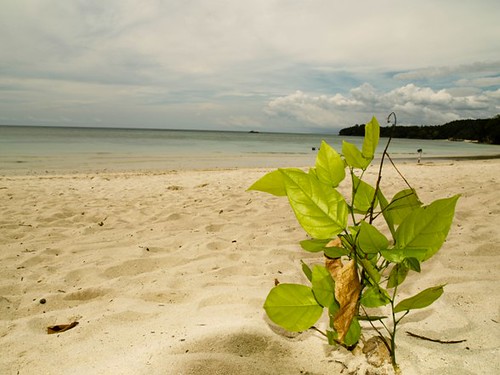
Gumasa is a barangay in Glan, Saranggani province widely known for it's belt of white sand beaches. For people who prefer peaceful ambience, then the 3-kilometer stretch of white sand in Gumasa suits you best.

HOW TO GET THERE:

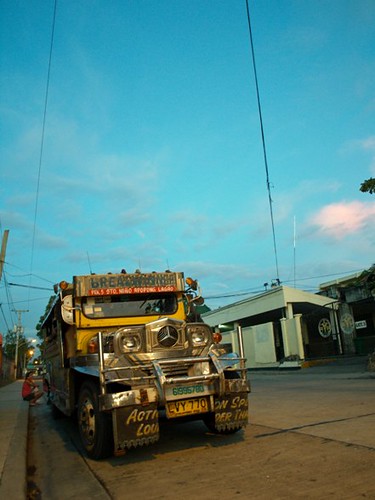
Our starting point is from Gensan, and negotiated the driver's price to lead us directly into Gumasa.

For people who want certain stops, look for a public van which is mainly heading for Glan terminal. Vans are found beside Gensan's bus terminal, Bulaong. Arriving in Glan's terminal, approximately 40 minutes, go see jeepneys heading for Gumasa, or ride motorcycles, widely known as habal-habal in native dialect.

BEST THINGS TO DO IN GUMASA BEACH:

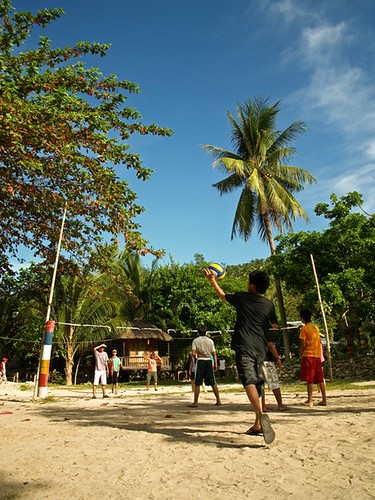
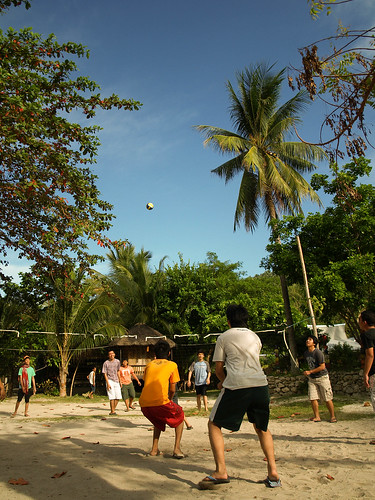
1.) Play beach volleyball. Trust me, it's really fun diving in the sand just to save the ball.
2.) For overnight stays, consider a bonfire party! It is really good to sizzle up a cold night in Gumasa trough bonfire.
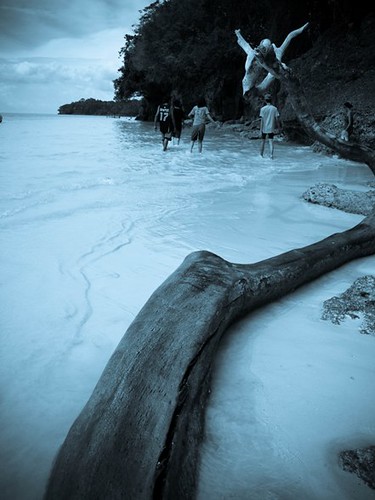
3.) Play Frisbee. Since the place is silent, few people visit the place unlike the other famous beaches, you'd definitely indulge into playing physical activities in Gumasa.
4.) Stroll around the white sand stretch. Walking along the seashore with friends is a good way of relaxation.
5.) Take photographs. This is the best way to preserve your memories with Gumasa. Click the shutter!
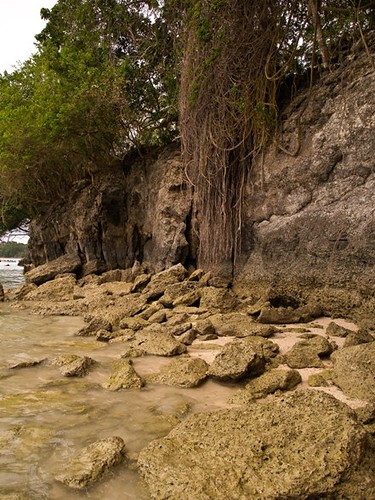
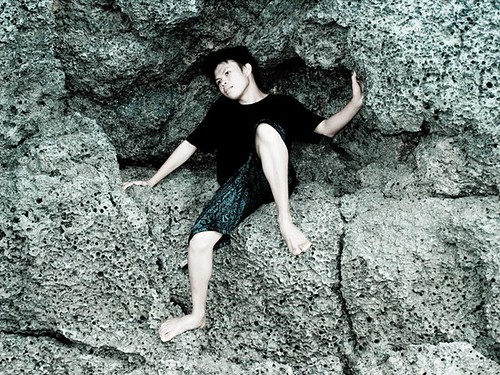
6.) Visit the small caves. Along the stretch of the beach, small caves meet you at the edge. It willbe fun dipping into their dark shades. Just be cautious.
7.) Meet people. It is really a fun thing to do when you talk to a person residing in that place. Talk with them.
8.) Somersault and dive into the waters. It would be a fun thing to do. Splash into the waters of Gumasa and find yourself staring at the blue sky.

I'll visit Gumasa again! Hopefully!

Click the photo to enlarge. Hover cursor to display captions.

Experience Gumasa: kristanfranco.blogspot.comExperience Gumasa: kristanfranco.blogspot.comExperience Gumasa: kristanfranco.blogspot.comExperience Gumasa: kristanfranco.blogspot.com

Experience Gumasa: kristanfranco.blogspot.comExperience Gumasa: kristanfranco.blogspot.comExperience Gumasa: kristanfranco.blogspot.comExperience Gumasa: kristanfranco.blogspot.com
Experience Gumasa: kristanfranco.blogspot.comExperience Gumasa: kristanfranco.blogspot.comExperience Gumasa: kristanfranco.blogspot.com


Be sure to subscribe in this blog to recieve updates from the places I visited.

There is always a limitation in using a certain camera, but one thing's for sure, do not limit your creativity.
Since i've been limited into short range shooting, more specifically 18-55mm lenses, and pale color output, I eventually use Photoshop to help construct my output.

In basic photography, one thing that is important in a composition is adjusting the contrastt, cropping, or the other way around, rendering with the help of Photoshop.

Topaz' PS Filter is a great way to set the contrast in your photos to produce photo's popping effect. The package offers great photo effects template and manual sliders for the colors and contrast. It's good to experiment and its interface is very reliable.

This one is a shot from Tropicana Beach Resort, one of the beaces here in Gensan. To add a more dramatic effect, I turned it into black and white, and set the contrast high enough to distingush the two shades, I also use curves. To tweak more of it, I pop the image using Topaz.

kristanfranco.blogspot.com
This highway is located in Panabo, Davao del Norte. Since the original output of this one is pale, and the sky was so clear, where you can barely see clouds on it, the best thing to do is to turn it into black and white. In addition, I added a crisp on the photo using the same Topaz' filter.


kristanfranco.blogspot.com
If you are a Photography hobbyist, you can check the software here, and see for yourself.
For more digital graphics and photography-related tools and softwares, be sure to subscribe in this blog.

Xara 3D - Retro Wallpaper

Posted by Kristan Saturday, December 19, 2009 View Comments

If you are new to Xara 3D, then better read my post about the software, and it's simple yet cool features.

This wallpaper is the first wallpaper I created out of Xara 3D's 3D text effect with Photshop CS4 as enhancement. Learning the basics is a must.

Retro 3D Text Wallpaper:

kristanfranco.blogspot.com

Using bright colors and fuzzy fonts make a retro theme. Retro brushes and vector rays are the most common features of a retro-themed wallpaper.

This wallpaper is available in 1024x768 res, and 1280x800 res. Download here:

3d Retro Text 1024x768
3d Retro Text 1280x800

More updates? Subscribe in this blog now!

Xara 3D - Easy 3D Text Animation For Beginners and Pro

Posted by Kristan Friday, December 18, 2009 View Comments

If you are a interested in 3D animation and rendering, then Xara 3D by Xara suits you. The program broadens its features to beginners and pros. In fact, it is very easy to use.


With certain combination of additional programs, particularly Adobe Photoshop, graphic designers sizzle up the textures and text effects of the 3d made by Xara 3D. The program showcases features for 3d logos, buttons, and text animation. Another good thing about this program, it is very light, the installation size is approximately 25 MB.

Here are some cool output from Xara 3D with the enhancement of Photoshop:

Xara 3d review by Kristan Franco

Basic animations:

kristanfranco.blogspot.com

kristanfranco.blogspot.com

kristanfranco.blogspot.com

In every software, there are always pros and cons, here are some overview for Xara 3D...

Pros:

Basic tools
User-friendly environment
Smooth output
Anti-aliased
Very smooth program
Low-cost

Con/s:

The main con of this software is that, you'll have to be exposed in other enhancing program such as Photoshop, Flash, and Illustrator because this software is limited only to its main features such as 3d, lightning, and animating. If you are a digital art practitioner, you'll eventually enhance the output through Photoshop, etc. YOU NEED CREATIVITY.

If you want to download Xara 3D, click here. For you to test out the software, they offer 15-day trial, and then you could go for the full version by purchasing it.

Get started now, and be creative!

For updates like these, be sure to subscribe in this blog.

Photoshop How-To: Polaroid Effect Using One Photo

Posted by Kristan Wednesday, December 16, 2009 View Comments

Using only one photo, you can create an impact by making it look like combined by many photos. The right term for this one is "collage". This is a very simple Photoshop tutorial. Here's how it looks like.

From this:


To this:


Here's how to create the trick in Photoshop:

1.) Choose a photo with good points. Photo with people in it is a good example.

2.) Create a new layer, and name it as "background". (ctrl + shift + N)


3.) Transform (ctrl + T) the photo into a smaller size than the canvas size to work with the "polaroid photo" easier. I filled the background layer with blue to distinguish photos from the background.

4.) Use the rectangular marquee tool (M) to create a selection on the photo. After selecting a portion, be sure to duplicate that portion (ctrl + j) to create its layer.


5.) After duplicating, tilt the smaller photo to make it more realistic.


6.) Right click the duplicated layer and go to BLENDING OPTIONS. Check the stroke and adjust the values you preferred.


7.) After adding stroke, add a drop shadow to make it more realistic.


8.) Repeat steps 4 to 7, but be sure to use the other portions of the photo until most of the "polaroid" photos cover the large photo. Tilt them in different angles.

9.) Hide the larger photo (click the eye icon of that layer) to leave the smaller ones into their places.

FINAL IMAGE:

In this final image, I change the background color from blue to black.


Want more? Be sure to subscribe in this blog to receive updates about some of my knowledge on basic Photoshop tutorials.

If you've been an avid user of Plurk, then you could've read the news about China banning Plurk? Well, that matter was not new, except with this latest issue regarding China again, particularly, Microsoft China.

Could you carefully spot the difference? I know there are differences, but could you see the point off immitation?

Microsoft China ripped off Plurk

Plurk's blog made a move about this exploitation, and blogged a lengthy post of it too.

Read the full post here.

I am a Plurker, and this news is annoying. If you are a Plurker, and you think you care about this wonderful social network, then we should make a move about this by Plurking, Tweeting, posting on other social networks such as Facebook, and Friendster, or simply spreading the news through word of mouth.

From Plurk:

To our millions of loyal users: We also need your sincere help. We need your loud and emphatic voices. We need you to help us get out this important story to anyone and everyone you know who can raise awareness on what has taken place. Please translate this story into your respective languages, share it with local media, bloggers and friends, and help us fight the good fight for your beloved Plurk.


Spread the word PLURKERS! (ROCK)

The Next One concert in Gensan was a BLAST

Posted by Kristan Tuesday, December 15, 2009 View Comments

As the maestro, Louie Ocampo jived with the rest of the band, the lights went out. Soon, people from different sides screamed with excitement. Flash cameras started to fill the stage, enough to prove the authenticity of the night. That was the time I felt enthusiastic.

The intensity brought by Sarah Geronimo right into the crowd was enough to make the event's conclusion. As she finished her introduction, the music filled the whole arena, one of the famous dance group of the country, G-Force, rolled in with the beat.

Sir Avel (Bariles), author of Gensan News Online Mag, gave me a chance to use his Canon 1000d with 200mm lens, and soon I started taking photos. After a few songs, it was the time Simon Wood, son of the great Victor Wood, filled the crowd with mellow tagalog songs.

After quite some time, the Pop Princess is back on track. She performed some her popular songs. Mark Bautista joined in to fill another wardrobe break of Sarah G, he also performed his soothing ballad songs.

Along with the fact that Jimmy Marquez is a Cebuano, he did some humorous bisayan ice breaker to keep the crowd in-touched. He also showed his talent in singing, one of it was his song piece in Star in a Million (2005).

Then, here comes the fast-beat set of the concert, she was dressed in black, obvious enough that she'll be performing fast-beat tunes. Later on, Jay-R, RnB prince of the country, accompanied her.

Subsequently, Jay-R performed RnB songs, particularly, So Sick by Neyo. He soon went down the stage to reach for the ecstatic audience.

After another wardrobe break, the Pop Princess went on to perform the concert finale. Dressed in a yellow gown, she sang the high-pitched song, Alone by Celine Dion.

To end the night, all of them were on stage. People began standing up to give a dominant standing ovation.

Concert Shots:


kristanfranco.blogspot.com


kristanfranco.blogspot.com

kristanfranco.blogspot.com


kristanfranco.blogspot.com

kristanfranco.blogspot.com


kristanfranco.blogspot.com

kristanfranco.blogspot.com

kristanfranco.blogspot.com

kristanfranco.blogspot.com

kristanfranco.blogspot.com


kristanfranco.blogspot.com

Be sure to subscribe in this blog to receive latest buzz on Gensan.

School of Rock Wallpaper Series

Posted by Kristan Sunday, December 13, 2009 View Comments

This wallpaper series contains Rock artists from different generations. I included The Beatles, Slash of Velvet Rovolver, and Elvis Presley. The other wallpaper is solely an addition to sizzle up this series.

Slash - former lead guitarist of Guns N' Roses

Slash wallpaper from Kristan Franco

Slash Wallpaper 1024x768
Slash Wallpaper 1280x800
Slash Wallpaper 1440x900

Elvis Presley - King of Rock n Roll

Elvis Presley wallpaper from Kristan Franco

Elvis Presley 1024x768
Elvis Presley 1280x800

The Beatles - featuring Paul McCartney, John Lennon, Ringo Starr, and George Harrison

The Beatles wallpaper from Kristan Franco<

The Beatles 1024x768
The Beatles 1280x800

Guitar Boy

Guitar Boy wallpaper from Kristan Franco

Guitar Boy 1280x800

For updates on wallpapers, subscribe in this blog.

Stay Connected


Recieve FREE email updates from Kristan Franco

Enter your email address:


Bookmark and Share


Blogs You'd Like to Visit